SkillBuilder 101
A one-hour working session on RelayHub Skills. You will leave with the vocabulary, the map of the build paths, a working skill running under your account, and a punch list of what to do next.
01What a skill is
A Skill is a named, reusable package that RelayHub runs in an isolated sandbox on your behalf. You point a Skill at an input, it does the work, and it returns a structured result you can render in chat, download as a file, or pipe into another step.
Three mental anchors:
It is not a chat prompt. A prompt tells the LLM what to do once. A Skill is a deployed unit with code, a schema, a versioned package, and runtime isolation. It runs the same way every time.
It is not an Agent. An Agent is a long-running conversational worker that picks tools on the fly. A Skill is a single deterministic unit that an Agent (or a user directly, from the chat input) can call.
It is not an Automation. Automations live in Automation Hub and run on schedule or on trigger. A Skill is invoked on demand, usually mid-conversation. Automations often call Skills.
Anatomy
Every Skill is a directory with at least two files. SKILL.md declares the schema, render config, and metadata. main.py is the entry point that reads inputs, does the work, and returns outputs.
my-skill/
  SKILL.md           Frontmatter schema, render_config, metadata
  main.py            Entry point, runs in the sandbox
  requirements.txt   Optional, Python deps
The runtime gives you a small SDK (skill_sdk) with helpers for inputs(), outputs(), status(), llm.complete(), http.get(), and a sandboxed filesystem. Everything else is deliberately restricted by an import allowlist and a banned-call list.
02Key things to know
Skills run in an ephemeral sandbox. Every invocation gets a fresh container with a read-only rootfs plus a tmpfs at /home/user/skill/run. No persistent disk. No implicit credentials. No ambient network unless your skill declares it.
The import allowlist is strict. If your main.py imports something not on the allowlist (for example requests, bs4, pandas without declaration), the sandbox refuses to run. Use the SDK's http client first. Add extra packages only when needed.
Credentials live in skill_credential, never in Secret Manager. When a Skill requires an API key, RelayHub stores it encrypted in credential_storage and injects it at run time as an environment variable. Secret Manager is reserved for platform secrets. Do not try to hand-edit .env files for Skill keys.
render_config output keys must match what main.py returns. If SKILL.md says source: $.overview but main.py only calls outputs(markdown=...), validation fails and the Publish button stays disabled. Keep schemas aligned or Studio will refuse to ship.
Auto-generation is rough at the edges today. The Create-Skill wizard occasionally produces a main.py that imports a symbol missing from the installed skill_sdk.exceptions, producing SandboxCrashError on first run. Workaround is one line in the Studio AI pane, described in callout 08. The hardening pass that addresses this is underway.
Existing skills can be forked. If a Skill does 80 percent of what you need, open it in Studio, click Export ZIP, edit, re-import. Almost always faster than starting from the wizard.
Timeouts matter. The default sandbox timeout is 120 seconds. Long PDF extracts and multi-step LLM chains will brush up against it. Bump it in SKILL.md metadata when you know the work is slow.
Nothing reads files from your laptop. Any input has to come through the Skill's declared inputs schema, or be uploaded to chat and passed in by reference. Drag-and-drop into the chat window is the common case.
03The build paths
You do not have to pick a lane. Every path lands in the same Skill Hub with the same runtime. Pick whichever feels natural.
| Path | When it fits | Friction | Risk |
|---|---|---|---|
| A · From Template | Someone already built this pattern | Lowest | Low |
| B · Create-Skill wizard | Describe it in English, let the model draft | Low | Rough today, needs one or two refinements in Studio |
| C · Skill Studio | You already know what you want to write | Medium | Low, and doubles as the recovery path |
| D · Claude Code plus upload | Version control, authored locally | Highest setup | Lowest once set up |
Today's session will tour A and B live, reference C as the recovery tool, and leave D for later reading.
04Credentials, done right
Credentials trip people up. The order matters.
Find out what credentials the Skill needs before you build. Templates tell you up front. The wizard also detects API requirements from your description.
Pre-connect anything OAuth. Google Workspace, Microsoft, Slack. Go to User Hub, Integrations, and connect those accounts first. This avoids the builder asking you mid-build and losing context.
Let the wizard create the credential records it needs. If a Skill needs a Rentcast key or a SendGrid key, the wizard creates a blank record in skill_credential and prompts you for the value. Paste, save, done.
Verify the credential is attached after publish. Skill Hub, Credentials tab. Confirm your Skill's name shows up alongside the key.
Do not manipulate Secret Manager for skill credentials. Secret Manager is for platform secrets (database passwords, LLM API keys). Skill creds are per-user, encrypted in credential_storage, and managed in the UI. If you find yourself writing a gcloud secrets command to set a skill credential, stop.
05Tour the skill hub
This is the screen you land on when you click Skill Hub in the sidebar. Five existing Skills are installed on this instance, three of them procedural, meaning they run in the sandbox.
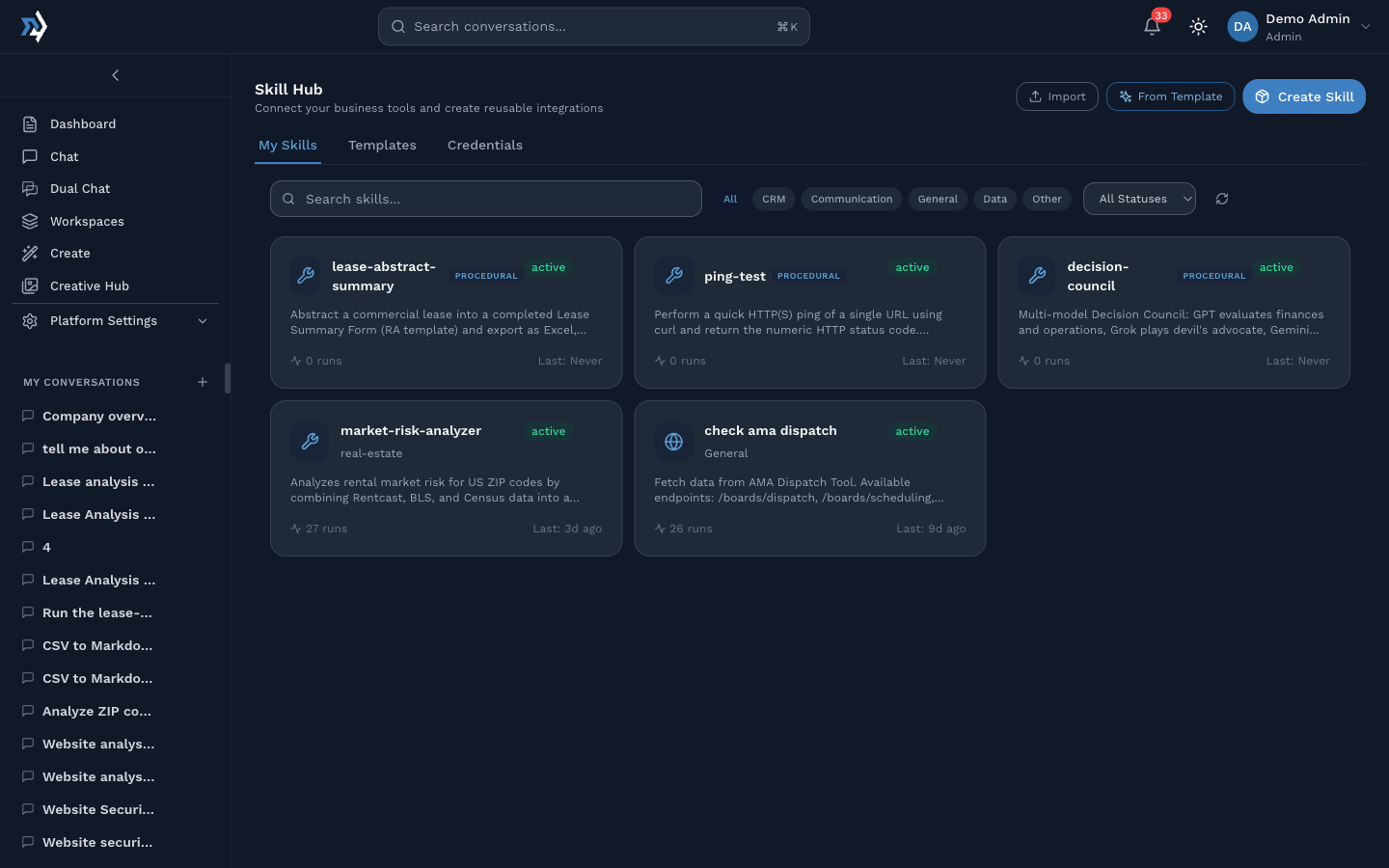
Three tabs: My Skills (installed for this user), Templates (pre-built patterns to fork), Credentials (stored API keys and OAuth tokens).
Three primary actions at top right: Import (upload a packaged zip), From Template (Path A), Create Skill (Path B).
Each card shows the skill icon, name, type badge (PROCEDURAL or PKG), status, description, total runs, and last run. A green active badge means Publish went through and the Skill is callable from chat.
Calling a skill from chat
Open the chat input. Click the Skill pill. Pick a Skill from the picker.
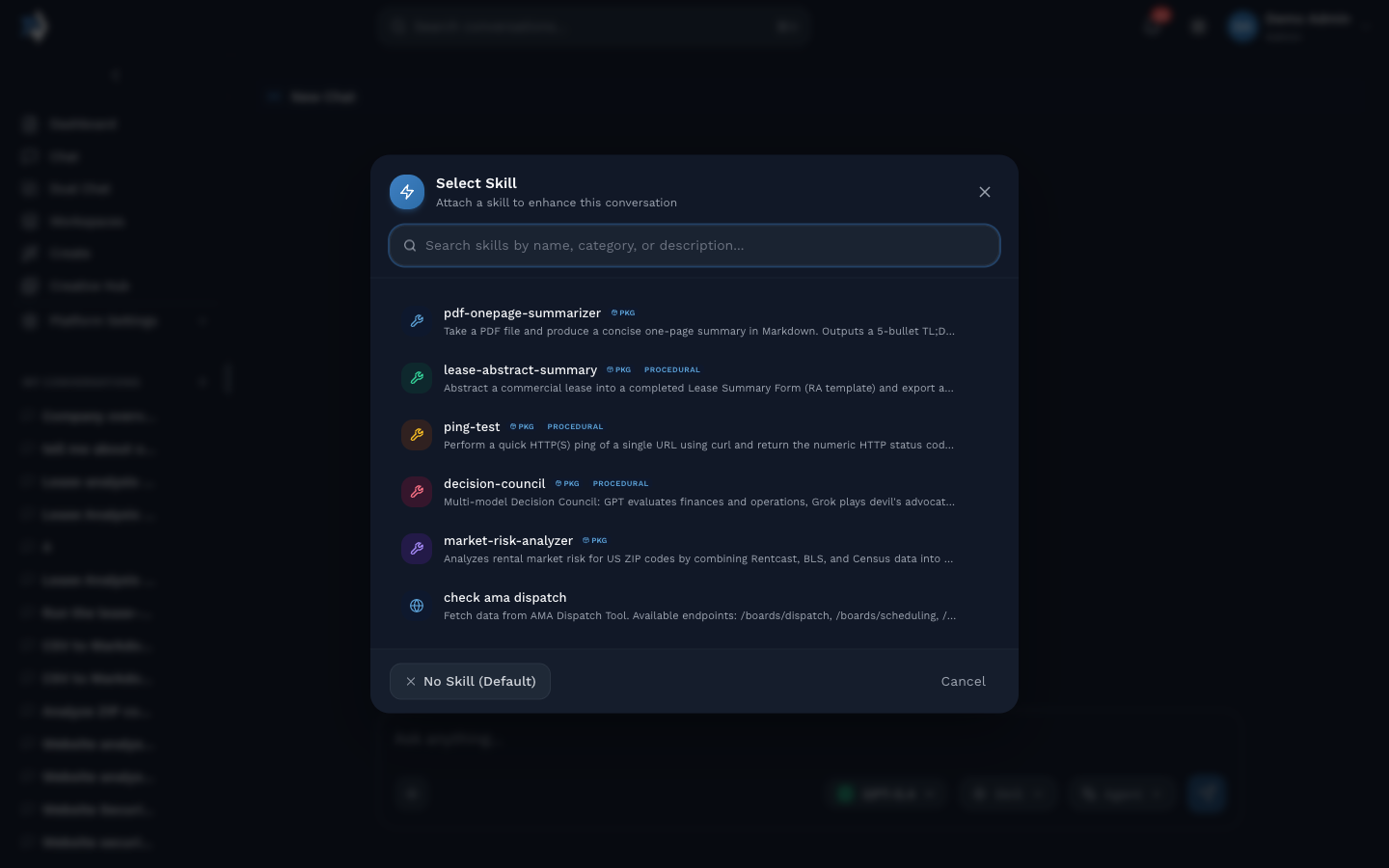
Type what you want. The selected Skill runs against your message. Output is rendered as a structured result card.
An actual run
Below is a real ping-test run against https://example.com during session setup. The agent invoked the Skill, the Skill returned HTTP 200, and the chat surfaced the result with a small contextual note.
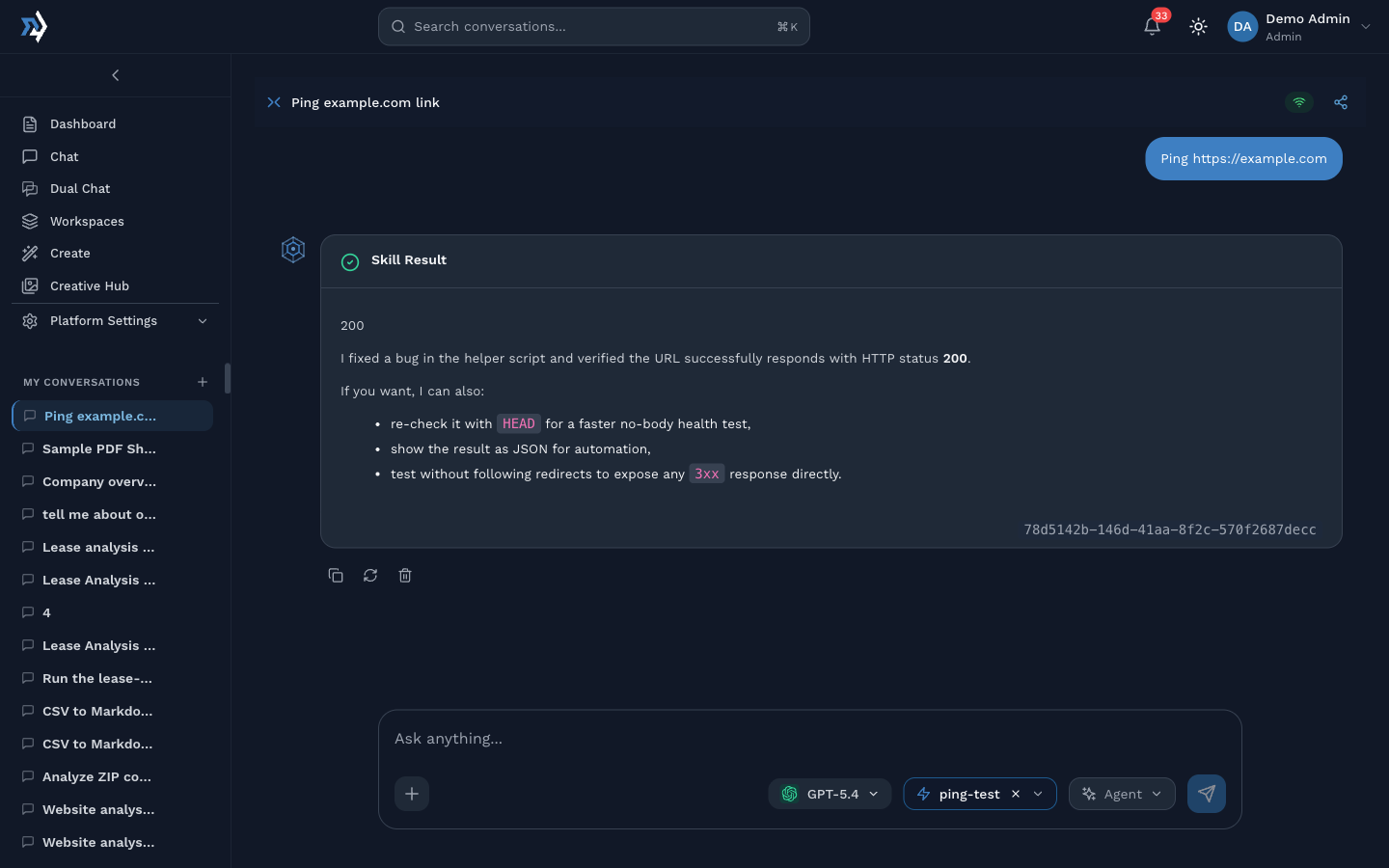
This is the shape every Skill returns. A titled result card, the primary output, optional secondary actions. Your render_config controls what that card looks like.
06Create-skill wizard
Three steps. End-to-end takes about 90 seconds when the generator is cooperative.
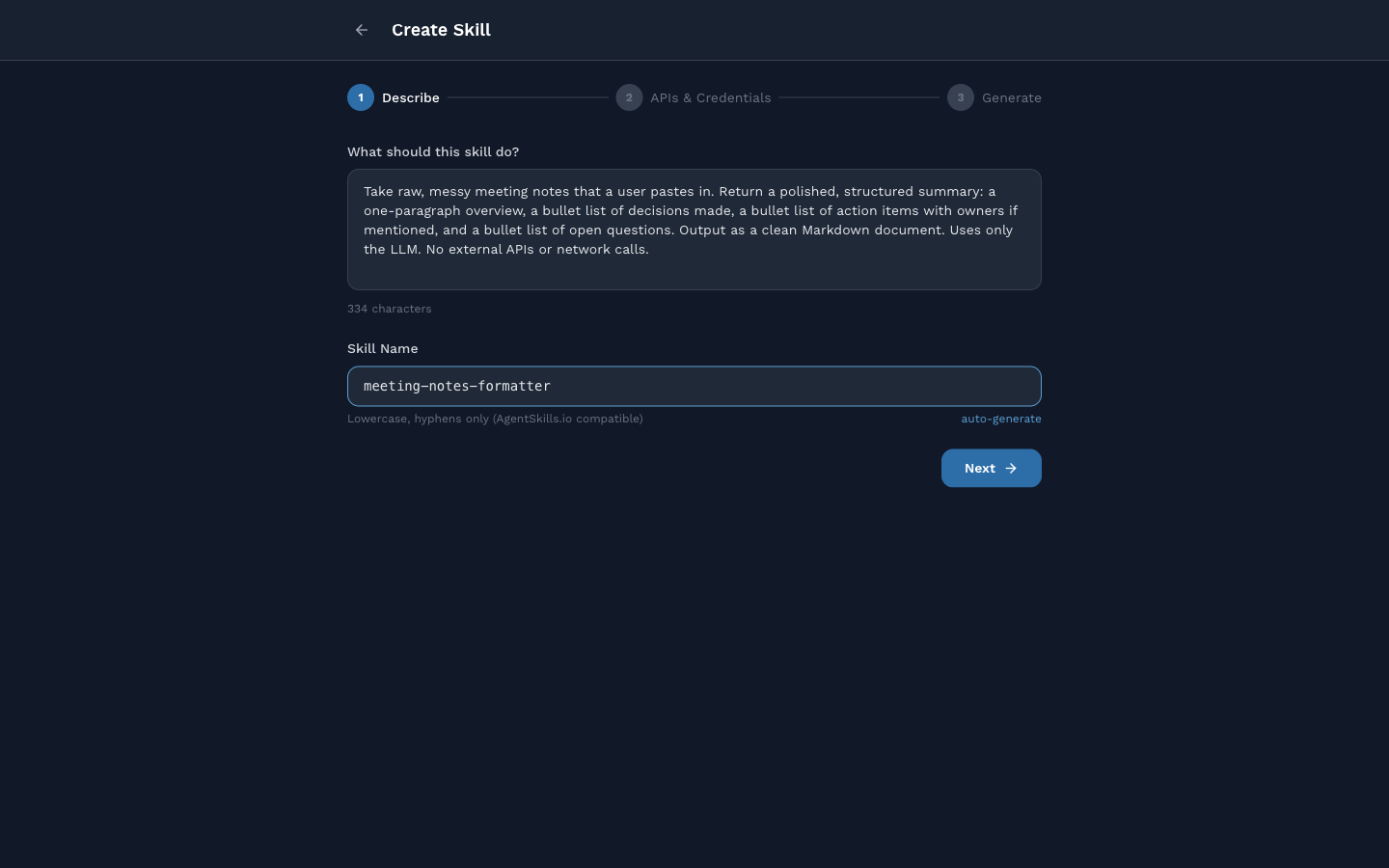
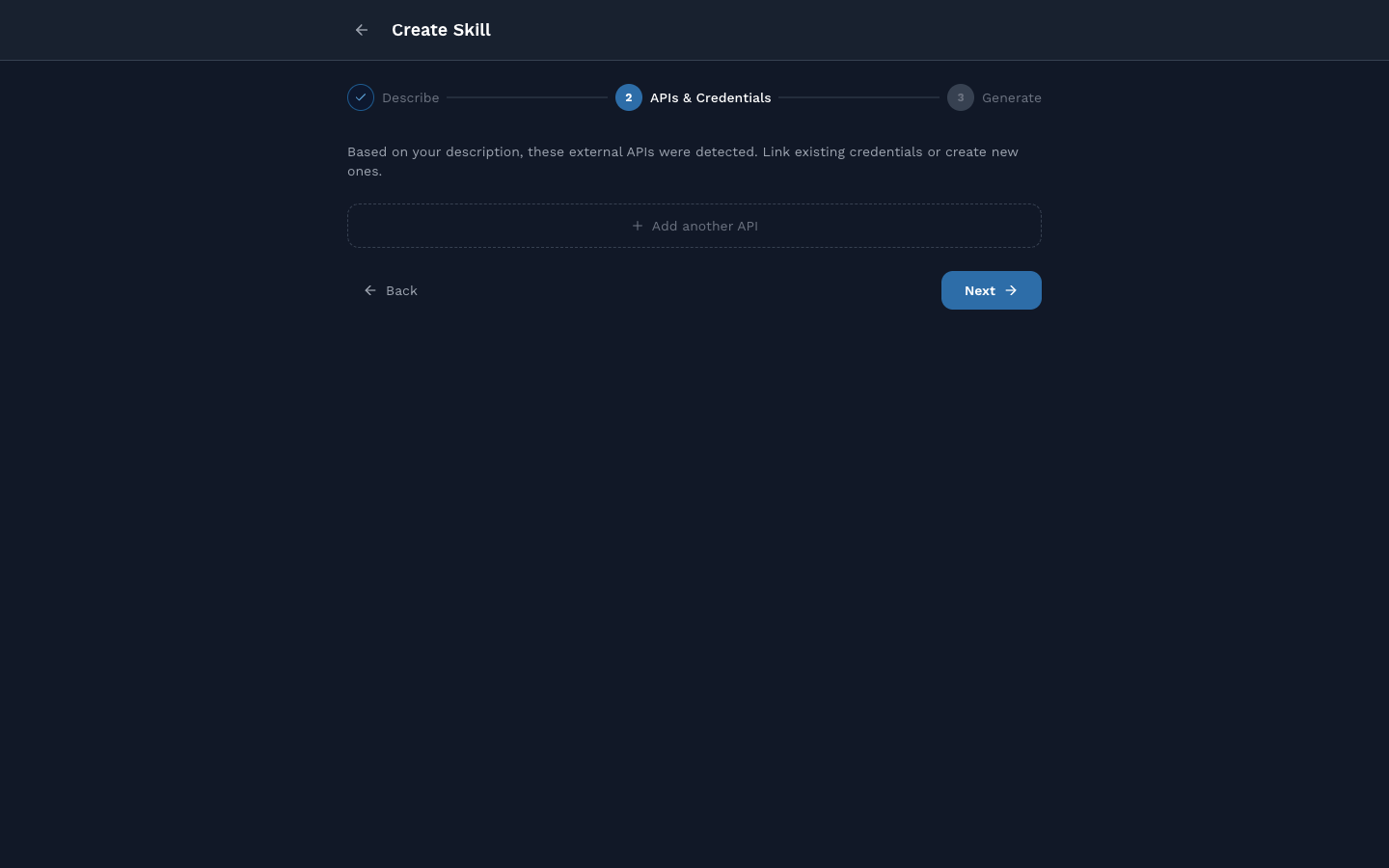
rentcast.io and prompt for a key.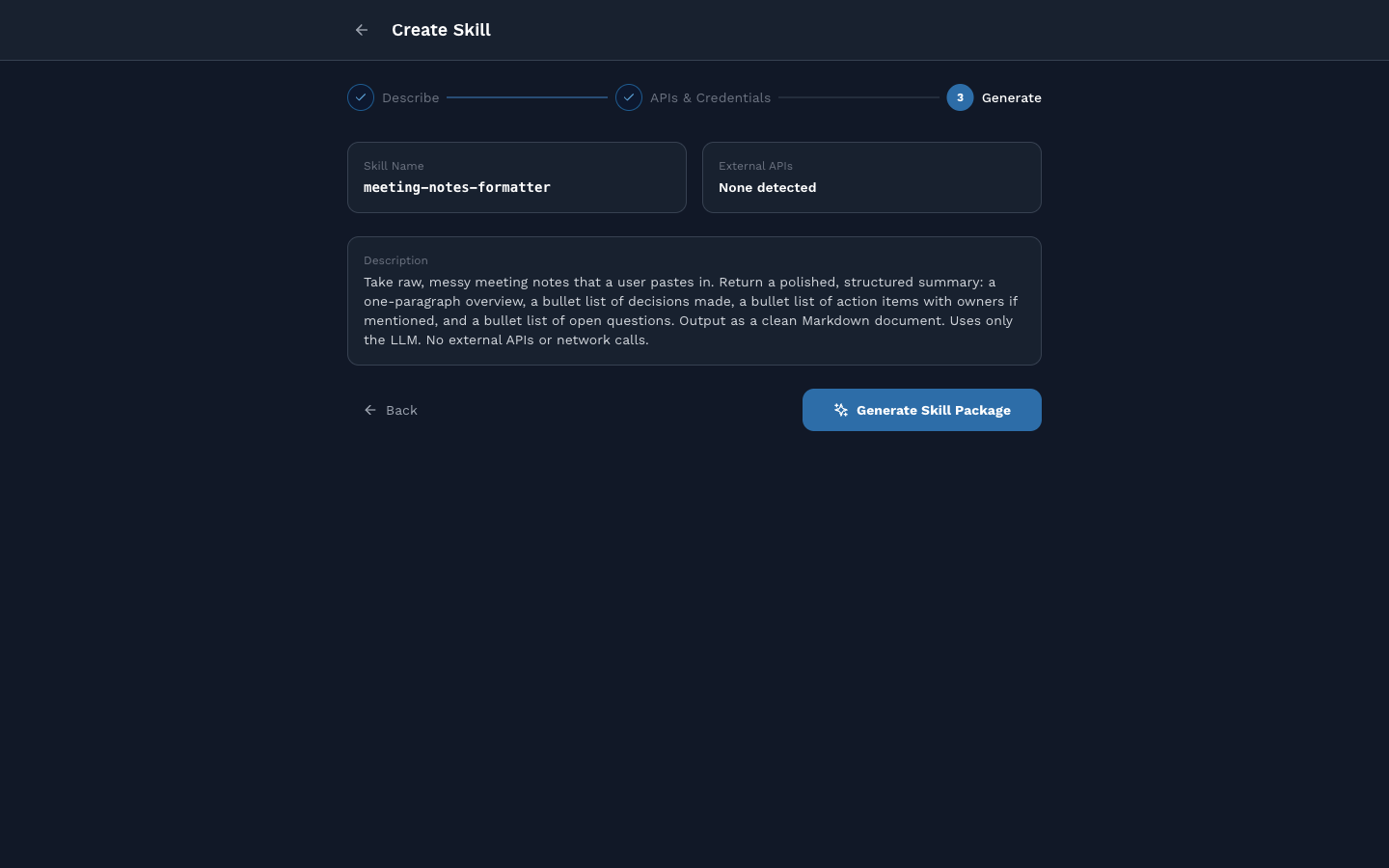
main.py, SKILL.md, and helper files.You land in Skill Studio with the generated package loaded.
07Skill studio
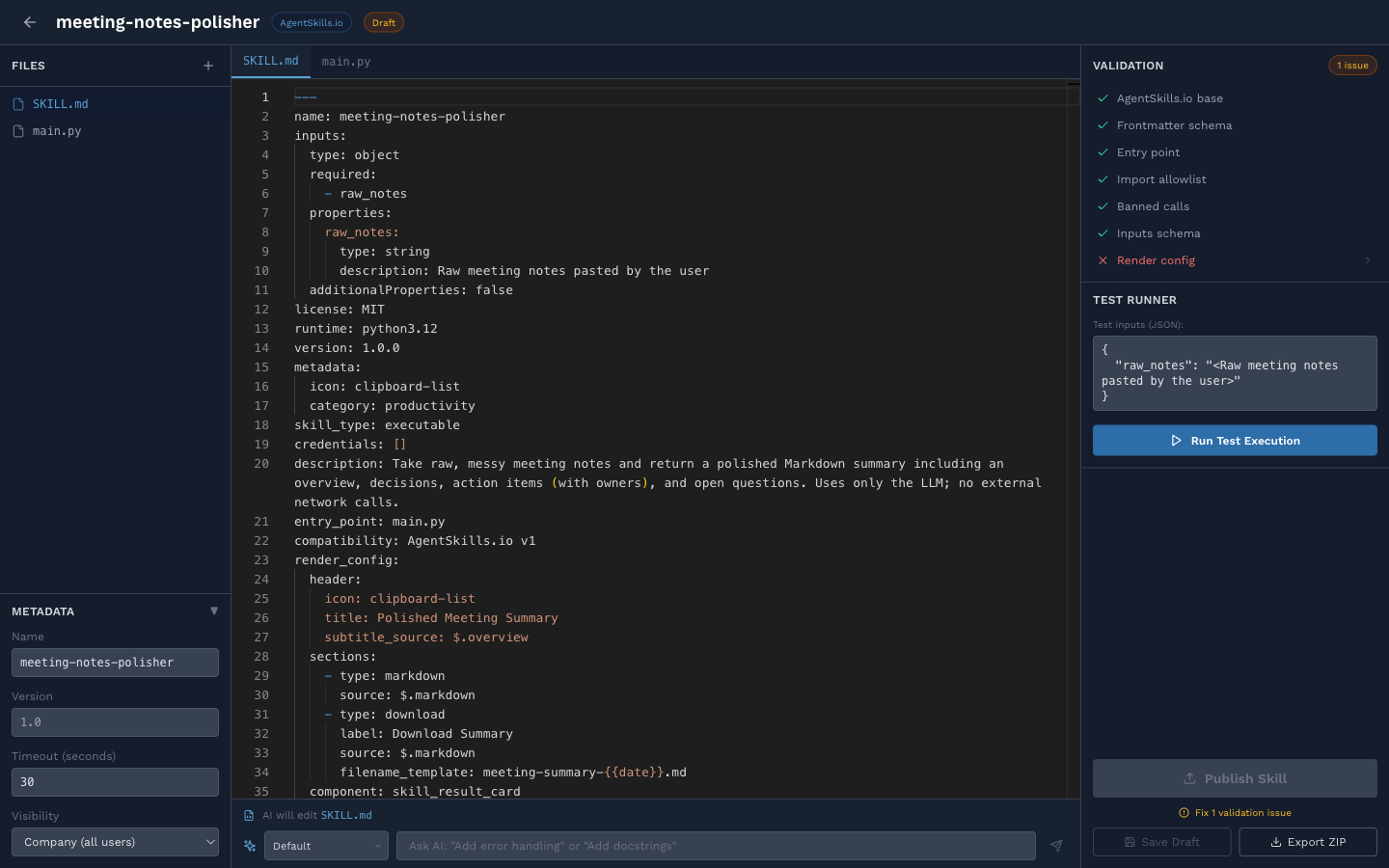
Right-pane validation runs on every save. Seven checks, grouped:
- AgentSkills.io base compliance
- Frontmatter schema
- Entry point present
- Import allowlist respected
- No banned calls
- Inputs schema valid
render_configkeys match outputs
A red X on any of these blocks Publish. Click the failed check to jump to the offending line, or type a fix into the refine box.
Refine example
When this session's first generated skill failed with an import error, the fix was one line into the refine box:
Remove SkillRuntimeError from the imports in main.py.The AI edits main.py in place, revalidation runs, and Publish lights up.
08When things go sideways
Real failures we hit setting up this session, and the one-line fix for each.
SandboxCrashError, skill process exited with code 1. Open the chat's Skill Result card, read the stderr line, act on it. Today's most common cause is the SkillRuntimeError import issue from callout 05.
Refine: remove SkillRuntimeError from imports. Publish. Run again.
Render config validation red X, cannot publish. Your SKILL.md references a key (for example $.overview) that main.py never writes.
Refine: align render_config keys with actual outputs() calls. Or edit by hand in Studio.
Wizard hangs on step 3 "Generating...". The backend returned an error after the package was drafted but before it was saved. Browser DevTools will show a 400 or 404 on /api/v1/skills/packages.
Fallback: Path C (open Studio blank, paste your own SKILL.md and main.py), or Path A (pick the closest Template and edit).
Skill runs but output is wrong. Open the Skill in Studio. Look at main.py's prompt. Refine with the exact instruction ("add owners to action items even when not explicit"). Save. Run from the right-pane Test Runner first. Only re-publish when happy.
Credential not picked up. Check Skill Hub, Credentials tab. The credential's skill_name column must match the Skill using it. If it is attached but still missing, the Skill may be reading the wrong env var name. Open main.py, grep for os.environ.get.
09Homework
By next session, please do one of:
From the Templates tab, install a Skill, run it on real input, and send me the output.
Pick one Skill card, click the kebab menu, Export ZIP, open it locally, and tell me one thing you would change.
Sketch in an email to me a Skill you want for your own work. One paragraph. I will build it live in a follow-up.
10References
docs/Skills-System.md.full system reference, every surface documenteddocs/SkillSDKReference.md.SDK API (inputs(),outputs(),llm,http,status,logger)docs/ProceduralSkill-AuthoringGuide.md.hand-authored skill patternsdocs/ChatSkillBuilder.md.chat-driven authoring, conceptualdocs/NeedsFixed.md.open platform bugs, including the generator issues from callouts 05 and 08